Characters & Social Accounts
Deleting and Restoring Characters and Social Accounts
Understand why deletion may be blocked, how to recover deleted Characters and social accounts from a Scene, and when to keep or delete the Scene.
By austudioPublished Updated
Deleting and Restoring Characters and Social Accounts
A Character is a person in your story. A social account is a platform identity belonging to that Character, such as Maya’s Instagram account. Deleting one does not mean deleting the other.
AU Studio checks existing usage before removal. If an older Scene already references a deleted identity, its recovery dialog helps you restore the original record without replacing its content.
Why deletion can be blocked
| Item | What prevents deletion? |
|---|---|
| Character | Authored social posts, stories, comments, or chat messages that remain stored. This includes retained content in removed Scenes and retained deleted comments or messages. |
| Social account | Usage in active Scenes: posts, non-deleted comments, reactions, stories, story views, or saved account selections. |
A deletion alert lists the types and counts of usage. These counts describe references, not necessarily distinct Scenes. One Scene may contain several posts and also select the same account.
Character and account counts intentionally differ. Removing a Scene does not necessarily make its Character removable, because retained authored content still refers to that Character. Social account deletion checks active Scenes only.
Deleting a Character or account
Open Characters in your project to manage the roster and social accounts.
For a Character, use its delete action and confirm the Delete Character modal. If removal is blocked, read the alert to see which content still uses the Character. Closing the alert does not change the Character or its content.
For a social account, open its account form, expand Delete this social account, and choose Delete Social Account. An account used by an active Scene cannot be deleted. An account used only by removed Scenes can be soft-deleted: it disappears from normal account choices while its stored record remains available for historical references.
A deleted account’s username remains reserved by the existing uniqueness rule. Restore the original account when recovery is available instead of creating a duplicate.
Recovering identities from a Scene
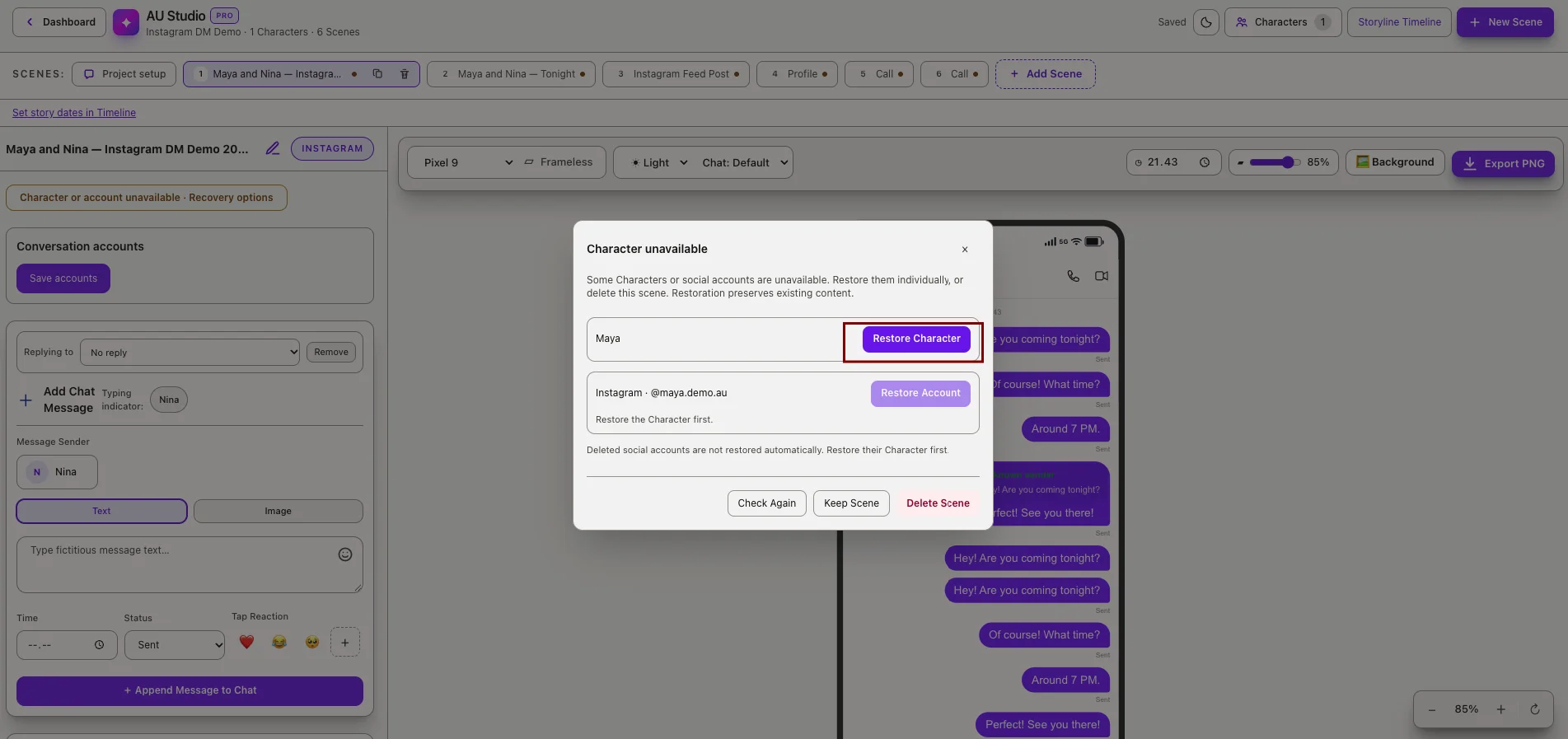
Open the affected Scene. If it references deleted or unavailable identities, AU Studio shows the Character unavailable recovery dialog. You can reopen it through Recovery options.
The dialog checks references across conversations, posts, stories, profiles, notifications, calls, video posts, inboxes, and other Scenes with saved identity references. A Scene with no Character or account references does not need recovery.
Restore a Character
Choose Restore Character beside the deleted Character’s name. AU Studio restores the original Character and keeps its identity and existing relationships intact.
Restoring a Character does not automatically restore its deleted social accounts.
Restore or activate an account
Choose Restore Account for a soft-deleted account, or Activate Account for an inactive account listed by recovery.
If both the account and its Character were deleted, restore the Character first. The account action stays disabled until its parent Character is available.
For example, if Maya and her Instagram account were both deleted, restore Maya first, then restore her Instagram account. Existing posts continue referencing the original account.
Restore several references
Restore each listed identity individually. After every successful action, the dialog checks the Scene again and updates its list without reloading the page.
When all references are available, choose Continue Editing to open the refreshed editor.
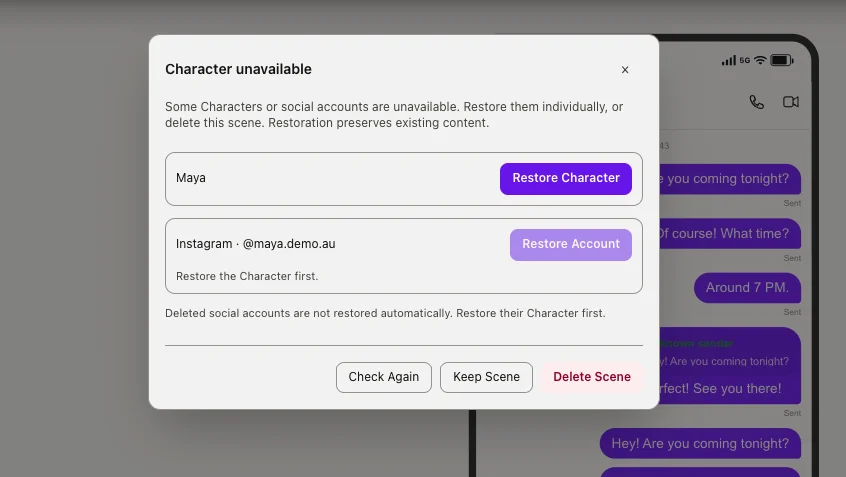
Keep Scene closes the dialog without removing or rewriting data. It does not undo restorations you have already completed.
Delete Scene opens a confirmation. Confirming removes the Scene through its existing soft-delete flow. It does not permanently erase its retained content or delete its Characters and accounts.
If recovery is unavailable
A permanently missing record cannot be restored. AU Studio displays an unavailable message instead of creating a replacement. Records outside your project are also unavailable through this dialog.
If a restoration fails, the dialog keeps its current list and displays an error. Retry the action or choose Check Again to refresh the reference status. Only the project owner can restore its referenced identities.
If a required social account has never existed, there is no deleted record to restore. Use Characters to create or select an appropriate active account for the Scene.